Prevailing Wage Compliance

Certified payroll violations don't announce themselves.

They hide in misclassified workers, miscalculated fringe benefits, and missed submission deadlines which surfaces only when an audit arrives.

The Prevailing Wage Agent works proactively, catching compliance gaps before they become costly problems, across every project, every pay period.

How It Works

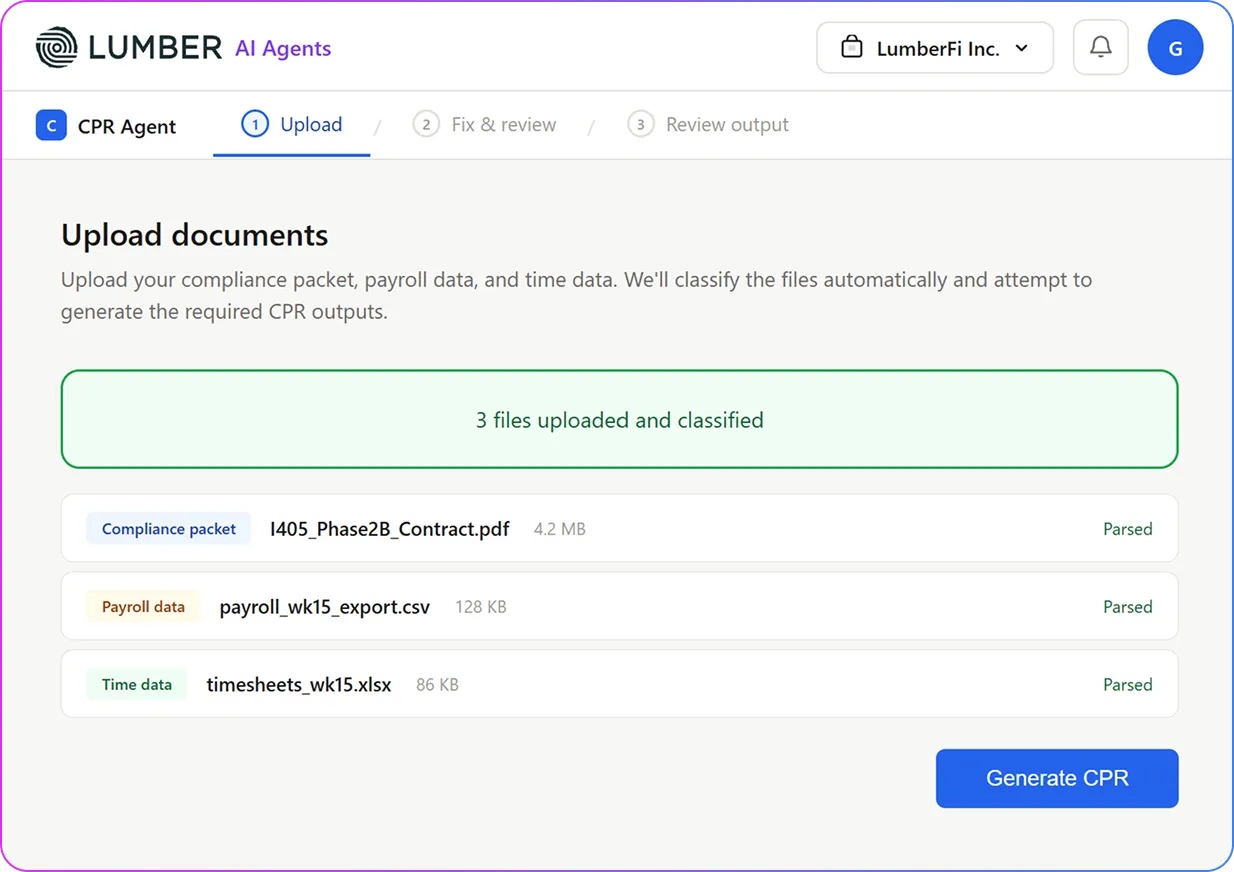
Upload Data

Upload timesheets, payroll exports, or labor reports from your existing systems. The agent automatically parses employee hours, classifications, breaks, and wage data across your project workforce.

Scan Report

The agent analyzes your data against federal and state regulations, including Davis-Bacon requirements, wage classifications, overtime rules, and apprentice-to-journeyman ratios.

Flag Issues Instantly

Receive an comprehensive audit report highlighting discrepancies, anomalies, and potential violations so you can investigate, remediate, and stay audit-ready.

What’s inside the AI analysis report

Information
Worker Classifications
Overtime
Wage Rates
Fringe Benefits
Apprentice Ratio
What the AI Extracts
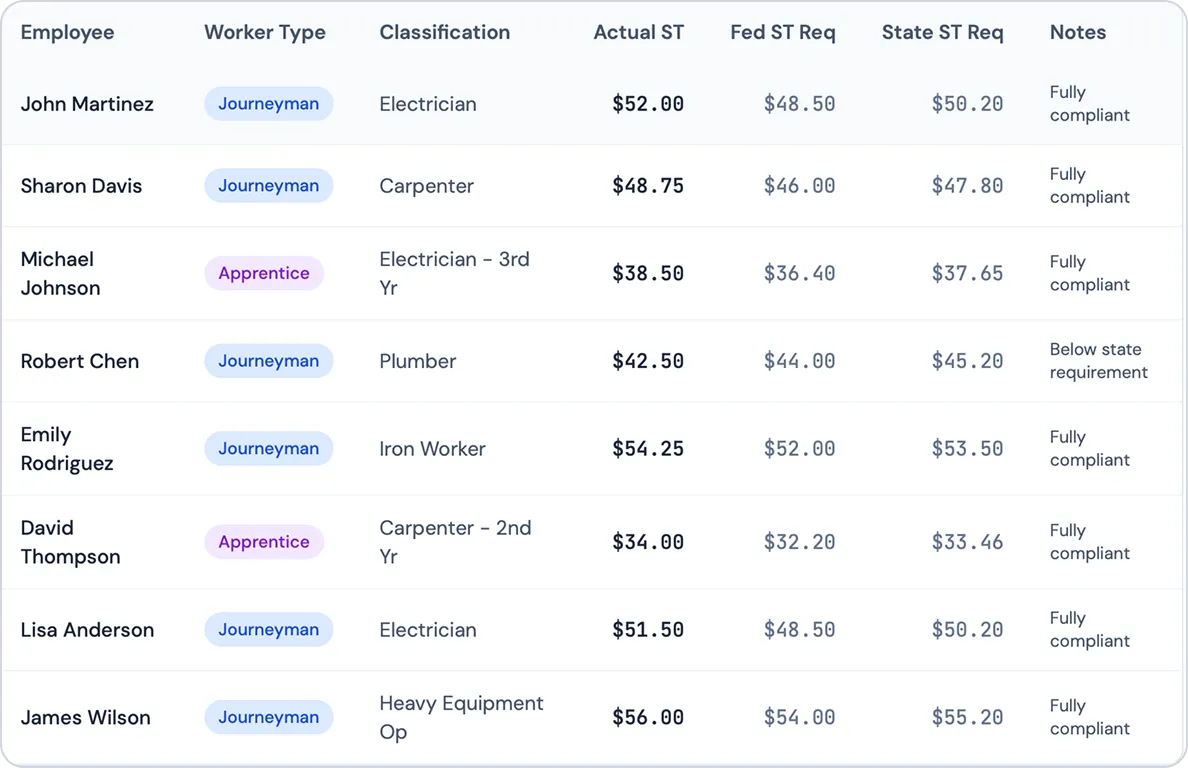
Worker classifications verified against applicable wage determinations
Actual OT vs federal and state OT requirements
Base wage rates confirmed against federal, state, or local prevailing wage schedules
Fringe benefit contributions calculated and itemized — health, pension, vacation, and apprenticeship funds
Ensure your crew composition meets public works compliance standards before submission.
Scan your Certified Payroll Report
AI Agent for Construction

Lumber Certified Payroll Reporting Agent

The agent doesn't just generate reports and hand them back to you. It validates wages, resolves errors, and submits compliant WH-347s automatically — before issues become violations.

Automated Certified Payroll Compliance

Run Certified Payroll on Autopilot

Lumber Certified Payroll Reporting Agent transforms certified payroll from a reporting task into a fully automated, system-driven workflow that validates compliance.

Prevailing Wage Intelligence Core

Wage Determination Engine

Ingests federal (SAM.gov) and state wage determinations and applies them to the right projects, roles, and locations based on craft.

Classification Mapping Engine

Maps internal job roles to prevailing wage classifications to prevent misclassification.

Automated Rate Validation

Ensures each worker is paid according to the correct prevailing wage classification and rate.

Certified Payroll Automation

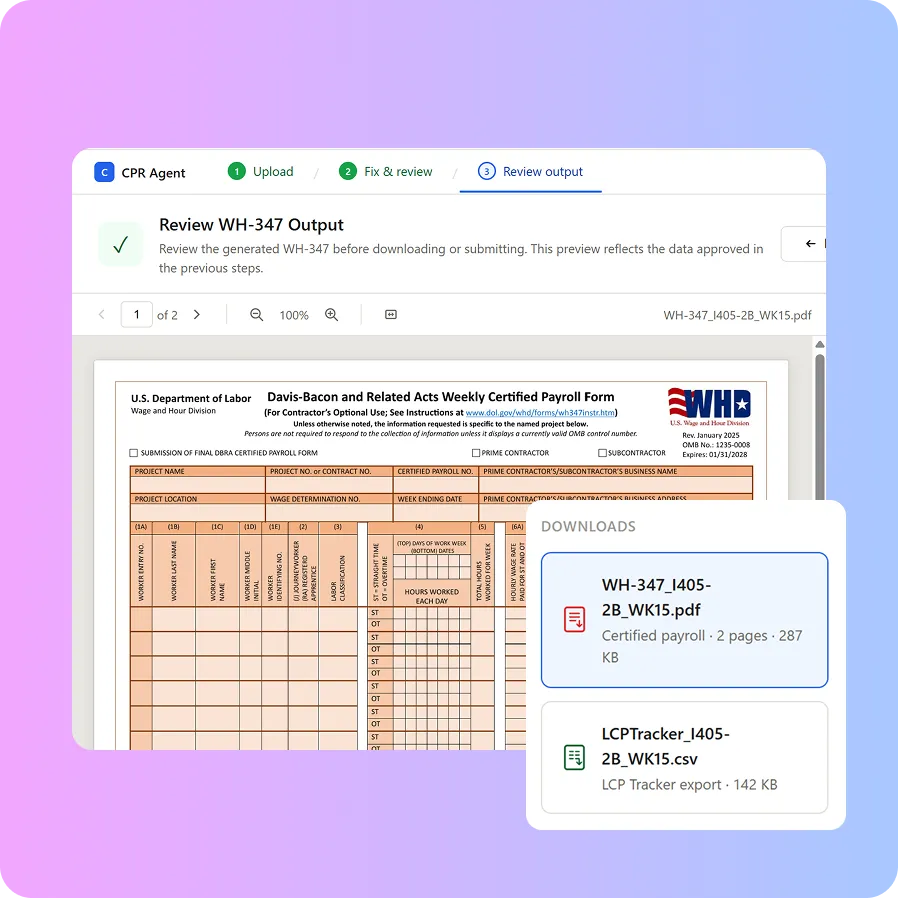
Certified Payroll Generation (WH-347)

Automatically generates compliant certified payroll reports for every pay cycle, formatted correctly and ready for submission.

Submission-Ready Export Format

Export certified payroll reports formatted for seamless submission across major government and prevailing wage systems including LCP, DIR, eMars, and Elation.

Fringe Benefit Reconciliation

Calculates and adjusts fringe allocations across cash and benefit funds.

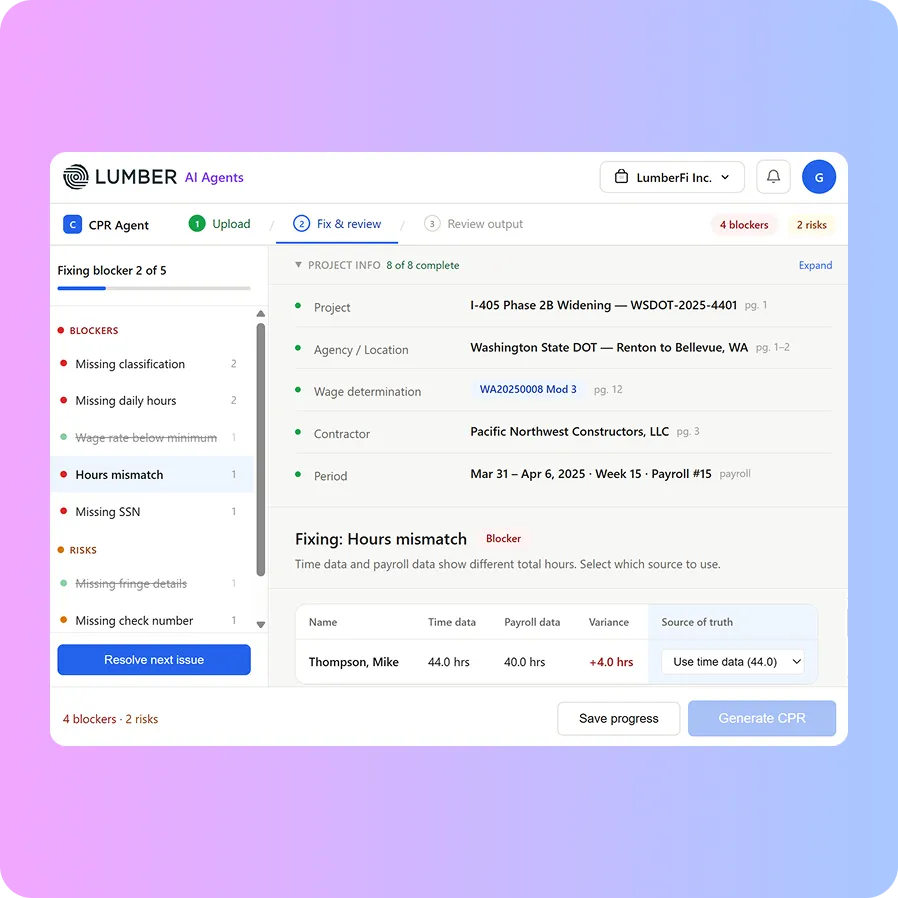
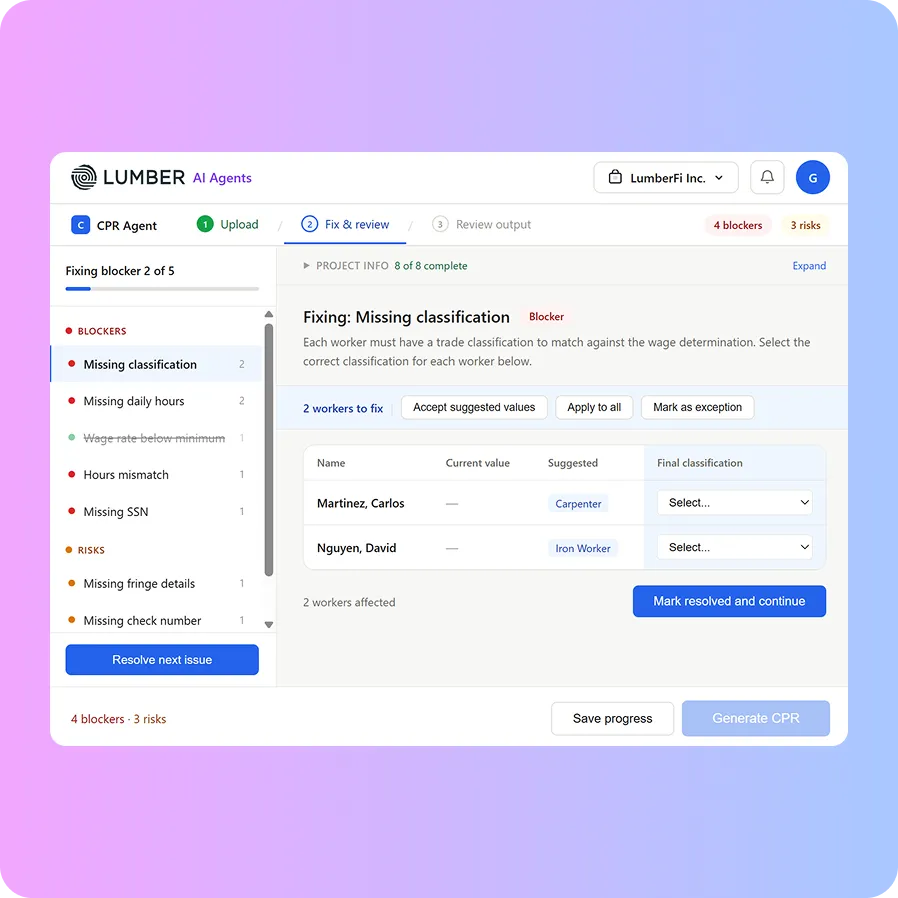
Exception Detection & Resolution

Flags wage mismatches, misclassifications, and fringe gaps and corrects them before submission.

Continuous Compliance & Risk Protection

Real-Time Compliance Monitoring

Continuously checks payroll data against wage determinations and project requirements.

Multi-State Compliance Coverage

Handles varying rules and formats across all 50 states— one system, full national coverage.

Audit Trail & Documentation

Maintains a complete record of every payroll action, correction, and submission with timestamps and full context.

Payroll & ERP Connectivity Layer

Write-Back to Payroll & GL

Pushes validated wages, classifications, and adjustments directly into payroll and accounting systems without double entry.

Cross-System Integration

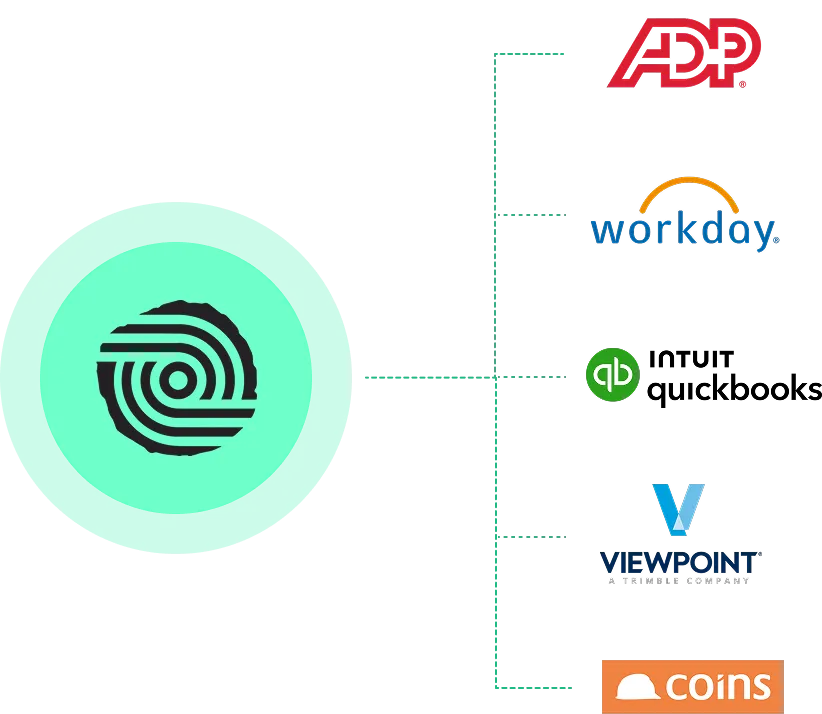
Works with ADP, Workday, COINS, Sage, Viewpoint, QuickBooks Online, and other ERP/HCM systems.

Why Contractors Rely on Lumber Certified Payroll Reporting Agent

Eliminates Guesswork

Automatically applies prevailing wage rules, classifications, and rates so teams don’t have to interpret complex wage determinations or risk manual errors.

Prevents Costly Compliance Issues

Continuously flags misclassifications, fringe gaps, and wage mismatches in real time—fixing issues before they turn into audit problems or payment delays.

Clean, Audit-Ready Process

Generates fully formatted WH-347 certified payroll reports with complete audit trails, so submission is fast, consistent, and defensible when scrutiny hits.

Free Certified Payroll Reporting Agent

Need a quick compliance check before submitting your certified payroll report?

The free version gives your team immediate answers on CBA terms, wages, fringes, and overtime rules.

How It Works

Upload Data

Upload timesheets, payroll exports, or labor reports from your existing systems. The agent automatically parses employee hours, classifications, breaks, and wage data across your project workforce.

Scan Report

The agent analyzes your data against federal and state regulations, including Davis-Bacon requirements, wage classifications, overtime rules, and apprentice-to-journeyman ratios.

Flag Issues Instantly

Receive an comprehensive audit report highlighting discrepancies, anomalies, and potential violations so you can investigate, remediate, and stay audit-ready.
Feature Comparison

Free vs Enterprise Version

Capability
Wage Lookup
Answering Questions
WH-347 Form Generation
Error Detection
Classification Mapping
Fringe Calculations
System Integrations
Audit Trail
Compliance Enforcement
Real-Time Monitoring
Free Version
Basic wage lookups
General guidance on wage rules
Not available
Manual validation required
Not supported
Not supported
No integrations
Not maintained
Advisory only (no execution)
Static insights
Enterprise Version
Automated wage determination engine
Includes contextual answers tied to projects and payroll
Automated WH-347 generation
Automatic error detection and correction
Automated mapping to wage classifications
Automated fringe reconciliation and allocation
Write-back to ERP, Payroll & HCM systems
Complete decision logging and traceability
System-driven enforcement across workflows
Continuous compliance validation

Frequently asked questions

Everything you need to know about Lumber Certified Payroll Reporting Agent.
What makes the CPR Agent different from compliance software?
Most compliance software generates a report and stops. The CPR Agent validates your data, corrects errors, and supports output formats for LCPtracker and other platforms - maintaining a complete audit trail throughout.
Does it handle both federal and state prevailing wage requirements?
Yes. It ingests federal wage determinations from SAM.gov and state-specific sources, and applies them to the right projects and classifications automatically.
What happens when the agent detects an error?
It flags the issue, identifies the root cause (misclassification, underpayment, fringe gap), and suggests corrections before the report is submitted.
How does write-back work?
Validated wages, classifications, and adjustments are pushed directly into your payroll systems where you can run payroll with the right compliance logic - no manual re-entry across platforms.
Can it handle multiple states and jurisdictions?
Yes. It manages varying rules, wage determination formats, and fringe requirements across all 50 states in a single workflow.
Do we need to replace our current payroll system?
No. The CPR Agent integrates with your existing payroll, ERP or HCM system and writes back validated data. Your stack stays intact.
How does this help during a DOL audit?
Every payroll action, correction, and submission is logged with full context and timestamps - creating an audit-ready record without any additional effort from your team.